 EN

A smart ring can make phone alerts less disruptive, but the result depends on what it syncs and which alerts reach your hand. Phone notification syncing determines the signals available to the ring, while alert filtering controls decide which signals deserve attention. Together, these settings can reduce daily interruption burden without hiding messages that need a prompt response. The goal is not to transfer every phone buzz to another device; it is to make attention more deliberate.
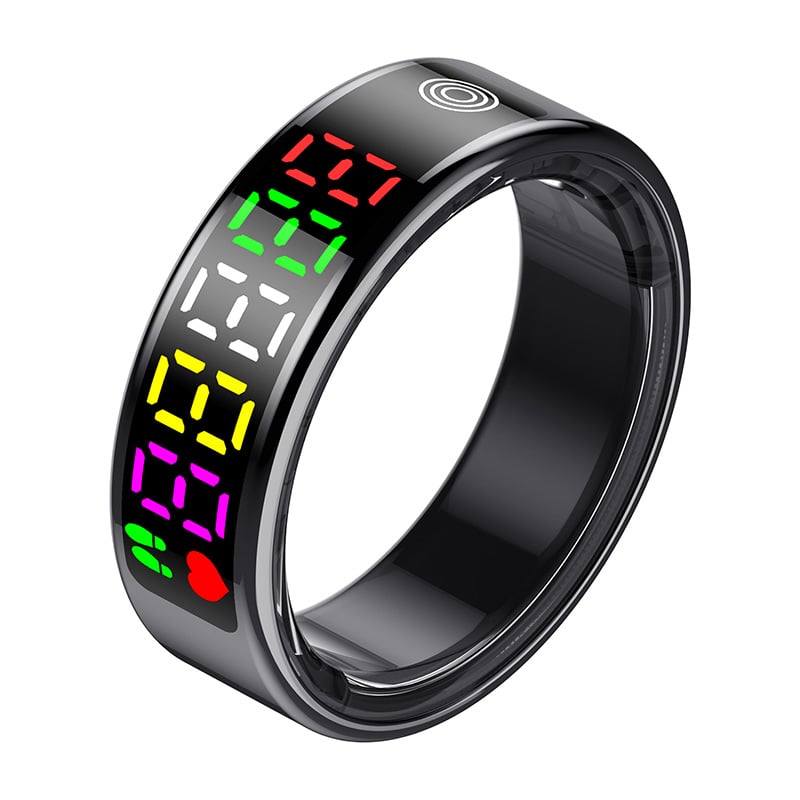
The effect is practical rather than automatic. If phone notification syncing mirrors every app, the ring may simply relocate interruptions from a pocket to a finger. If alert filtering controls distinguish urgent people and work events from routine updates, the wearer can check the phone less often. That distinction matters in meetings, production areas, commuting, and focused work, where daily interruption burden is shaped by both alert volume and the cost of breaking concentration.
How the notification path changes interruptions
Phone syncing sets the incoming signal
Phone notification syncing is the connection between phone alerts and the ring’s notification behavior. Depending on the device and its companion software, selected calls, messages, or app notices may be relayed as a vibration or another discreet cue. The ring does not make an alert important; it reproduces information the phone has already received. Understanding that boundary helps teams assess whether phone notification syncing is reducing screen checks or merely adding another endpoint.
Every synced category adds a potential cue, so broad phone notification syncing can increase interruptions even when the phone stays silent. A wearer who receives frequent calendar changes, chat updates, and automated app notices may feel each signal as a prompt to stop. Alert filtering controls should therefore be considered alongside sync permissions, not after them. This is especially relevant in shared offices or operational settings, where one person’s routine updates can repeatedly interrupt a concentrated task.
Vibration changes the form, not the urgency
A discreet vibration may be less audible to colleagues than a phone ringtone, but it still captures the wearer’s attention. Phone notification syncing can make a device easier to notice when the phone is in a bag or on a desk, yet increased availability can encourage more frequent checking. Alert filtering controls shape whether that convenience creates useful awareness or a steady stream of small interruptions. The daily interruption burden depends on how often attention shifts and how quickly it returns.
How filtering controls shape alert priority
Separate urgent communication from routine updates
Start by identifying alerts that require timely action, such as a call from a designated contact or a time-sensitive work message. Keep these distinct from low-priority reactions, promotions, and general activity notices. Alert filtering controls are most useful when they reflect actual responsibilities rather than a desire to monitor everything. Phone notification syncing can then carry a smaller, more meaningful set of cues, lowering daily interruption burden while preserving a route for genuinely important communication.
A useful filter is specific enough to prevent routine alerts from becoming urgent by default. Review app-level permissions on the phone, then check whether the ring applies the same choices or has separate controls. When phone notification syncing and alert filtering controls are configured in different places, conflicting settings can cause missed or duplicated cues. Test a few representative events, including a priority call and a routine app update, before relying on the setup during a shift or critical meeting.
The right priority boundary varies by role and schedule. A field technician may need selected dispatch or safety messages, while a manager may prioritize calls from a small group during a review. Alert filtering controls should match the consequence of missing an alert, not the sender’s habit of marking every message important. Tighter phone notification syncing can support those choices, and scheduled quiet periods can limit daily interruption burden when immediate contact is not required.
Use quiet periods and context deliberately
Work blocks, breaks, and off-hours do not have identical notification needs. If available, configure alert filtering controls around these contexts, allowing essential contacts through while suppressing routine items. Phone notification syncing should be reviewed after a schedule or responsibility changes; an old setting may continue sending alerts that no longer matter. A brief review helps daily interruption burden remain manageable without requiring people to abandon the ring or repeatedly silence every device.
How to evaluate the effect in daily use
Measure attention shifts, not just alert counts
A lower number of visible phone alerts does not necessarily mean fewer interruptions if the ring still prompts frequent checks. For several workdays, notice which cues cause a task pause, whether the information can wait, and how long it takes to resume. Phone notification syncing should be judged by useful awareness, while alert filtering controls should be judged by the unnecessary cues they prevent. This simple observation gives daily interruption burden a real workplace meaning instead of treating every vibration equally.
If a cue repeatedly proves unimportant, remove that category from phone notification syncing or tighten its filter. If an essential event is missed, identify whether the phone did not receive it, syncing was disabled, or alert filtering controls blocked it. Changing one setting at a time makes the cause easier to isolate. This measured approach is more dependable than opening every category after one missed message, which can restore the very daily interruption burden the setup was intended to reduce.
Fit the setup to people and operating conditions
In industrial and B2B environments, personal notification preferences must fit site rules and communication procedures. A smart ring should not replace required alarms, approved radios, or formal escalation channels. Phone notification syncing may be suitable for supplementary personal awareness, but critical safety instructions need an established, tested route. Alert filtering controls should never suppress alerts that policy requires a worker to receive. This boundary keeps convenience separate from operational responsibility and avoids relying on an accessory beyond its intended role.
Comfort and reliability also affect whether someone keeps the configuration enabled. A wearer may reject phone notification syncing if frequent vibration is distracting, or disable alert filtering controls if they make settings confusing. Ask users which alerts they act on, then simplify the categories and explain how to adjust them. Recheck after onboarding, role changes, or software updates. Those steps help daily interruption burden improve through workable habits rather than through a technically complete but poorly understood configuration.
FAQ
Can a smart ring reduce phone checks?
It can, if phone notification syncing delivers only information that benefits from a quick cue. Alert filtering controls can keep low-priority updates off the ring, so the wearer has less reason to inspect the phone. If every app is mirrored, however, the ring may trigger just as many checks. Evaluate whether daily interruption burden falls by observing actual task pauses, not simply by counting phone screen activations.
Which alerts should reach the ring?
Prioritize alerts that require timely awareness, such as selected calls or work messages with a clear response expectation. Use alert filtering controls to exclude routine notifications, and confirm that phone notification syncing reflects those priorities. The right choices depend on role, site procedure, and availability requirements. A concise set of meaningful cues is more likely to support attention than a complete mirror of phone activity.
How often should notification settings be reviewed?
Review the setup when responsibilities, schedules, or app permissions change, and whenever an important cue is missed or an unnecessary one repeatedly interrupts work. Check both phone notification syncing and alert filtering controls because a change in one layer may not update the other. A short practical review helps daily interruption burden stay aligned with current needs while preserving necessary communication.